Employee Training Video

Welcome to the Zoom Resource Center
One Platform. Better Connections.
On November 5, Shields Health will launch Zoom Phone for all employees and Zoom Contact Center for select teams.
This page is your go-to resource for the transition. Explore the interactive training module, access training materials and resources, review FAQs, and visit the Communication Archive for the latest updates.
Check back often as we get ready to Zoom into November 5!
Interactive Training Module
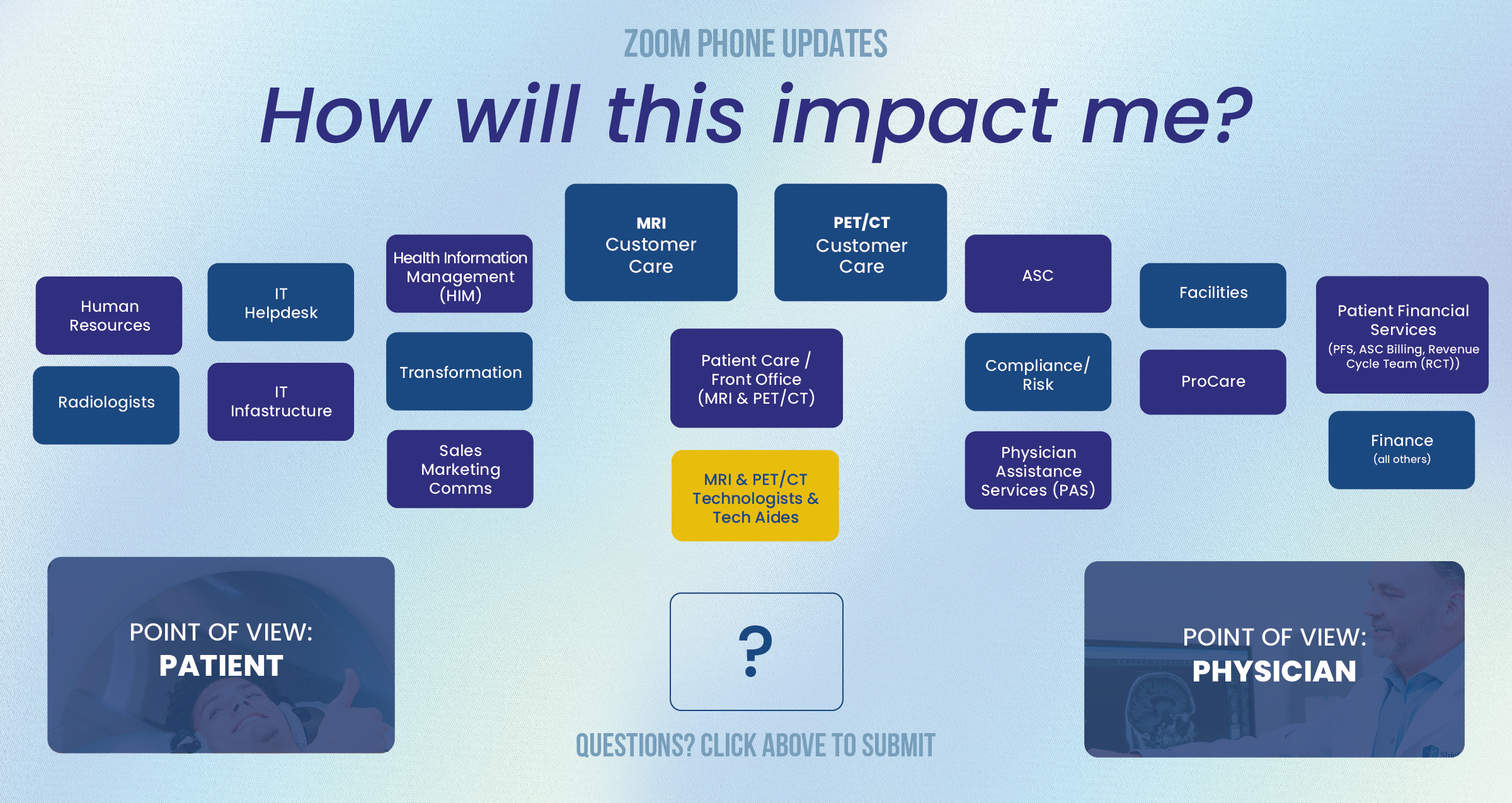
MRI Customer Care
→ WHAT YOU'll EXPERIENCE:
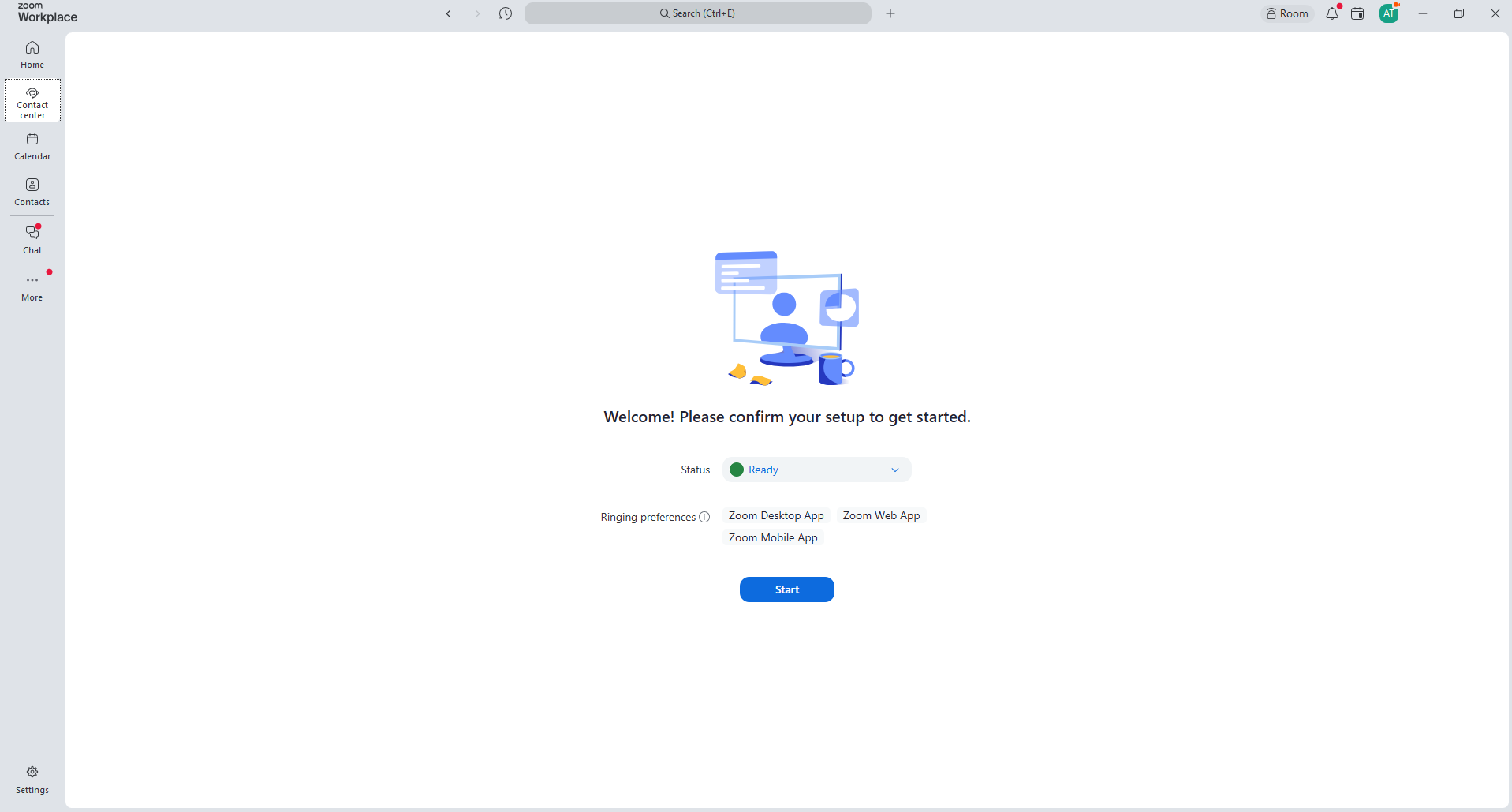
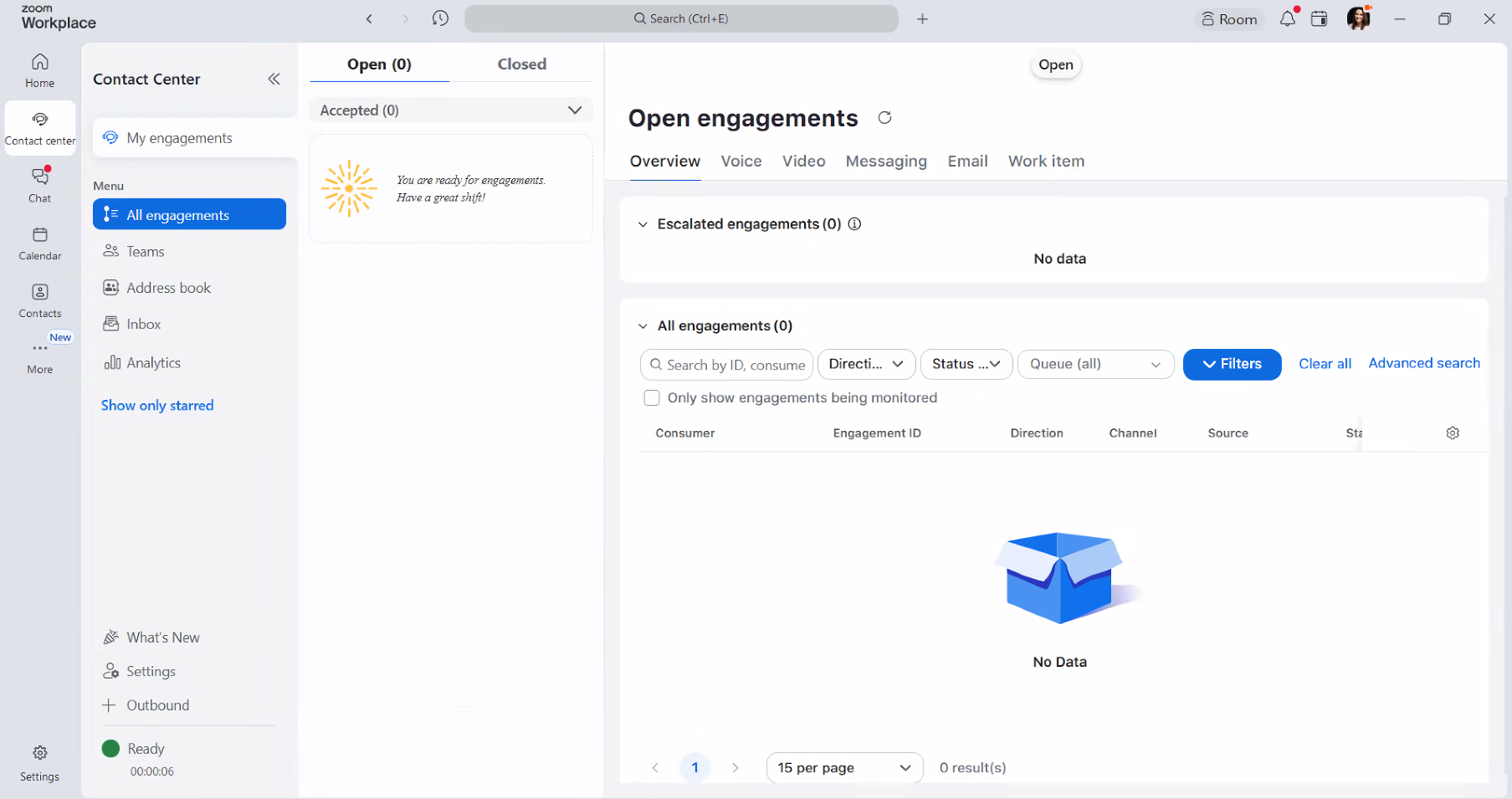
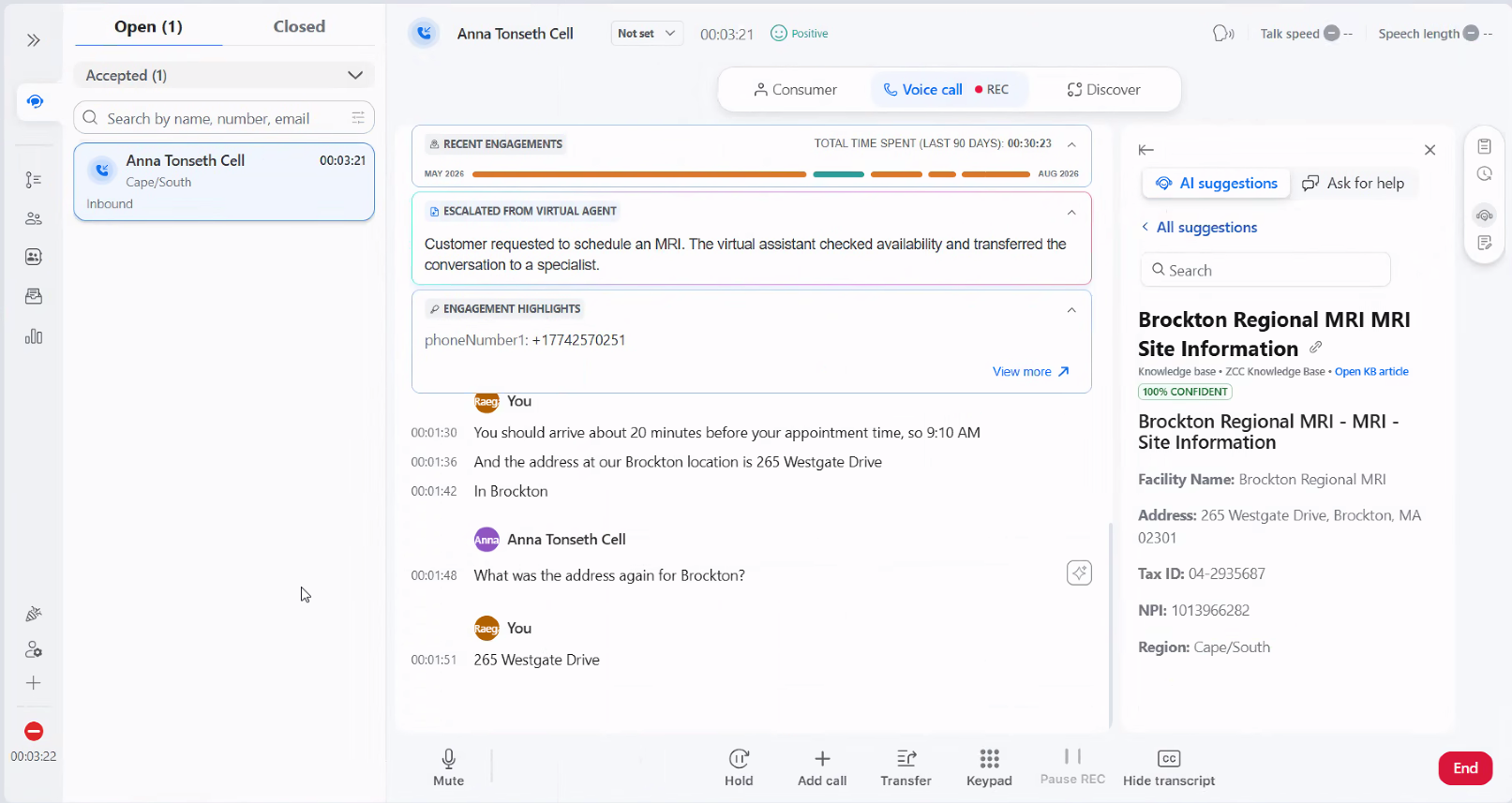
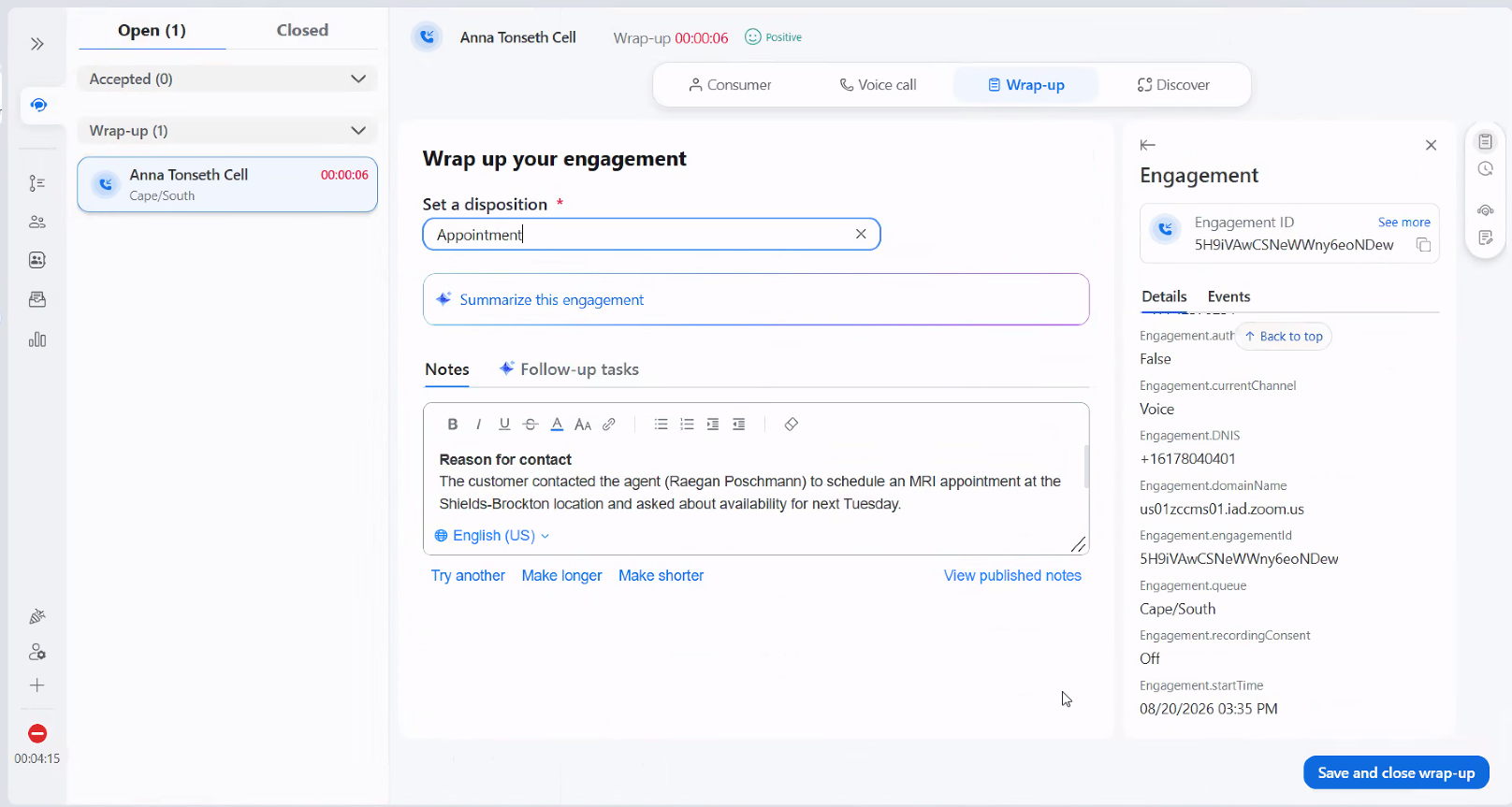
Your Contact Center experience is upgrading from TouchPoint to Zoom Contact Center. You’ll use a new screen and new steps to:
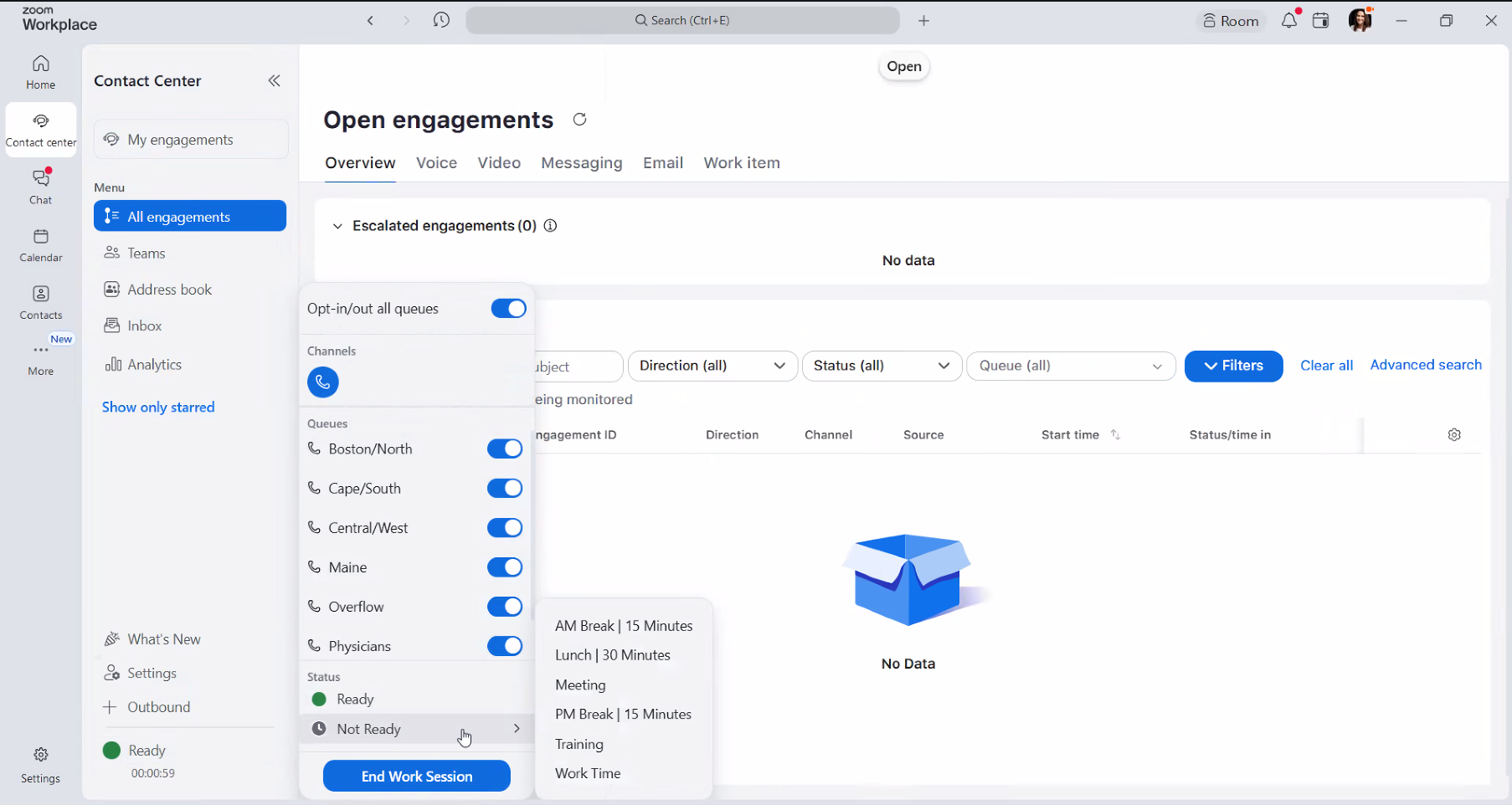
- • Sign in and manage your status
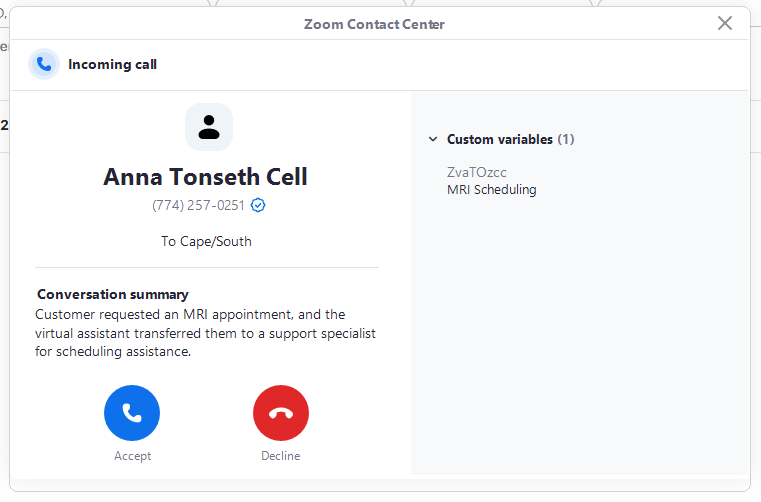
- • Answer and transfer calls
- • Make outbound calls
- • Complete each interaction before moving to the next call
And, you’ll experience the power of AI directly in your day-to-day workflow — with tools that can summarize and categorize calls, surface relevant information in real time, provide live transcripts and call history, and improve routing so fewer calls reach the wrong team.
The screens you use will look different, including a shift away from the color-coded view you see in TouchPoint.
How you transfer calls will also change. Instead of transferring by extension, you’ll use the Zoom address book or dial the 10-digit number when transferring to a center or another Zoom Phone user. You’ll still be able to transfer directly to teammates, managers and other queues within Zoom Contact Center.
Like every Shields employee, your phone experience is also upgrading to Zoom Phone on September 24. You’ll use Zoom for traditional business calling from your computer, mobile device or a Zoom-compatible desk phone based on how your role is set up. You’ll also be able to dial external numbers directly — no more dialing 88 first.
If you need to give a caller a direct number to reach you instead of returning through the general Contact Center queue, you’ll provide your Zoom Phone number. Those calls will ring through Zoom Phone within the same Zoom application.
You’ll receive comprehensive, role-specific training about two weeks before launch, so you feel comfortable and prepared before go-live.
→ WHAT ELSE YOU SHOULD KNOW:
The experience will also change for the patients and medical practices calling the Shields main numbers, including the 800 number.
Rather than relying only on the touch-tone menu experience they use today, callers will interact with an A.I. virtual assistant that can help identify what they need, provide information for certain routine requests and route them to the appropriate team when live support is needed.
At launch, this will include 800-number routing and general questions such as directions, appointment confirmation and preparation information
That should mean fewer callers landing in the wrong place and fewer unnecessary transfers — making the experience easier for both callers and Shields teams.
→ RECOMMENDED NEXT STEPS / KEY MILESTONES:
Recommended next
• Patient video
• Physician video
Key milestones
• Contact Center Training: September 3, 8 & 10. More information will be provided about which session you should attend. Sessions will be led by Zoom.
• Go-live: September 24
PET/CT Customer Care
→ WHAT YOU'll EXPERIENCE:
Your Contact Center experience is upgrading from TouchPoint to Zoom Contact Center. You’ll use a new screen and new steps to:
- • Sign in and manage your status
- • Answer and transfer calls
- • Make outbound calls
- • Complete each interaction before moving to the next call
And, you’ll experience the power of AI directly in your day-to-day workflow — with tools that can summarize and categorize calls, surface relevant information in real time, provide live transcripts and call history, and improve routing so fewer calls reach the wrong team.
The screens you use will look different, including a shift away from the color-coded view you see in TouchPoint.
How you transfer calls will also change. Instead of transferring by extension, you’ll use the Zoom address book or dial the 10-digit number when transferring to a center or another Zoom Phone user. You’ll still be able to transfer directly to teammates, managers and other queues within Zoom Contact Center.
Like every Shields employee, your phone experience is also upgrading to Zoom Phone on September 24. You’ll use Zoom for traditional business calling from your computer, mobile device or a Zoom-compatible desk phone based on how your role is set up. You’ll also be able to dial external numbers directly — no more dialing 88 first.
If you need to give a caller a direct number to reach you instead of returning through the general Contact Center queue, you’ll provide your Zoom Phone number. Those calls will ring through Zoom Phone within the same Zoom application.
You’ll receive comprehensive, role-specific training about two weeks before launch, so you feel comfortable and prepared before go-live.
→ WHAT ELSE YOU SHOULD KNOW:
The experience will also change for the patients and medical practices calling the Shields main numbers, including the 800 number.
Rather than relying only on the touch-tone menu experience they use today, callers will interact with an A.I. virtual assistant that can help identify what they need, provide information for certain routine requests and route them to the appropriate team when live support is needed.
At launch, this will include 800-number routing and general questions such as directions, appointment confirmation and preparation information
That should mean fewer callers landing in the wrong place and fewer unnecessary transfers — making the experience easier for both callers and Shields teams.
→ RECOMMENDED NEXT STEPS / KEY MILESTONES:
Recommended next
• Patient video
• Physician video
Key milestones
• Contact Center Training: September 3, 8 & 10. More information will be provided about which session you should attend. Sessions will be led by Zoom.
• Go-live: September 24
Health Information Management (HIM)
→ WHAT YOU'll EXPERIENCE:
The new Zoom Contact Center will introduce a more automated way to manage calls related to health information and records.
When someone calls with a medical records request, an AI virtual assistant will guide the caller through the process by confirming whether they are a patient, third party or physician and offering the appropriate medical records request form.
- • Sign in and manage your status
- • Patients and third parties who need additional help will be transferred to Sharecare.
- • Physicians who need additional help will be transferred to the HIM queue.
- • Patient portal issues will be directed to the HIM queue.
- • Calls transferred to HIM from other Shields teams will also first go through the virtual assistant, which will help resolve or route the request appropriately.
This should help automate more routine requests while directing callers who need live assistance to the right resource.
How you transfer calls will also change. Instead of transferring by extension, you’ll use the Zoom address book or dial the 10-digit number when transferring to a center or another Zoom Phone user. You’ll still be able to transfer directly to teammates, managers and other queues within Zoom Contact Center.
Like every Shields employee, your phone experience is also upgrading to Zoom Phone on September 24. You’ll use Zoom for traditional business calling from your computer, mobile device or a Zoom-compatible desk phone based on how your role is set up. You’ll also be able to dial external numbers directly — no more dialing 88 first.
If you need to give a caller a direct number to reach you instead of returning through the general Contact Center queue, you’ll provide your Zoom Phone number. Those calls will ring through Zoom Phone within the same Zoom application
You’ll receive role-specific training so you understand the new call flow and feel comfortable and prepared before go-live.
→ WHAT ELSE YOU SHOULD KNOW:
The experience will also change for the patients and medical practices calling the Shields main numbers, including the 800 number.
Rather than relying only on the touch-tone menu experience they use today, callers will interact with an A.I. virtual assistant that can help identify what they need, provide information for certain routine requests and route them to the appropriate team when live support is needed.
The biggest change for your team is that not every medical records request will need to come through to the department. The new routing is intended to direct routine patient and third-party requests to self-service while keeping live support available for physician requests and other needs that require your team’s expertise.
→ RECOMMENDED NEXT STEPS / KEY MILESTONES:
Recommended next
• Watch the Patient video
• Watch the Physician video
Key milestones
• Contact Center Training: September 3, 8 & 10. More information will be provided about which session you should attend. Sessions will be led by Zoom.
• Go-live: September 24
ASC
→ WHAT YOU'll EXPERIENCE:
Like every Shields employee, your phone experience is upgrading to Zoom Phone on September 24. You’ll use Zoom for traditional business calling from your computer, mobile device or a Zoom-compatible desk phone based on how your role is set up. If you already use Zoom for meetings, Zoom Phone should feel familiar and intuitive. With this new system, you’ll also be able to dial external numbers directly — no more dialing 88 first.
Specifically for the Shrewsbury ASC, an additional change will follow a few weeks later. Beginning in October, an Agentic AI virtual assistant will support post-operative outreach for patients, excluding total joints.
The plan is to learn from the Shrewsbury experience, identify best practices, and then thoughtfully expand to additional ASCs in future phases with additional capabilities. Because each ASC operates with different complexities, we want to take the time to understand what works best before moving to the next phase.
For post-op outreach, the new automated post-op outreach process will look like this:
- • Patients will receive a post-op call from the ASC.
- • The virtual assistant will follow the approved post-op script.
- • Patient responses will be captured as part of the interaction.
- • If a patient needs additional support, the interaction can be escalated to the ASC team for follow-up.
This is intended to create a more consistent post-op outreach experience while reducing some of the manual calling currently handled by the team.
You’ll receive role-specific training so you understand the new call flow and feel comfortable and prepared before go-live.
→ WHAT ELSE YOU SHOULD KNOW:
This October Agentic AI rollout is intentionally focused:
-
- • Shrewsbury ASC is the starting point.
- • Post-op outreach is the first capability being introduced.
- • Other ASC locations and additional capabilities will be considered in future phases based on what we learn from Shrewsbury.
→ RECOMMENDED NEXT STEPS / KEY MILESTONES:
Key milestones
• Contact Center Training: TBD
• Go-live: October, TBD
Patient Financial Services
→ WHAT YOU'll EXPERIENCE:
Your call-handling experience is upgrading to Zoom Contact Center.
When a caller has a patient financial question, the new routing experience will help identify what they need and direct the call to the appropriate Revenue Cycle queue. That should mean more of the calls reaching you are intended for your team from the start!
You’ll use a new Zoom Contact Center screen to:
- • See calls coming into your assigned queue
- • Manually accept the calls routed to you (just like you have now!)
- • Transfer callers when another team is needed
- • Access call history and information about your queue activity
The new platform is also designed to give your team better reporting and visibility into patient financial calls with AI-assisted notes and summaries
How you transfer calls will also change. Instead of transferring by extension, you’ll use the Zoom address book or dial the 10-digit number when transferring to a center or another Zoom Phone user. You’ll still be able to transfer directly to teammates, managers and other queues within Zoom Contact Center.
Like every Shields employee, your phone experience is also upgrading to Zoom Phone on September 24. You’ll use Zoom for traditional business calling from your computer, mobile device or a Zoom-compatible desk phone based on how your role is set up. You’ll also be able to dial external numbers directly — no more dialing 88 first.
If you need to give a caller a direct number to reach you instead of returning through the general Contact Center queue, you’ll provide your Zoom Phone number. Those calls will ring through Zoom Phone within the same Zoom application.
You’ll receive comprehensive, role-specific training before launch so you can practice the new PFS queue and call-handling experience before go-live.
→ WHAT ELSE YOU SHOULD KNOW:
The experience will also change for the patients and medical practices calling the Shields main numbers, including the 800 number.
Rather than relying only on the touch-tone menu experience they use today, callers will interact with an A.I. virtual assistant that can help identify what they need, provide information for certain routine requests and route them to the appropriate team when live support is needed.
One of the biggest benefits for this team should be more direct routing of patient calls.
Instead of a caller being transferred between teams while trying to find the right place for help, the new routing experience is designed to better identify why they’re calling and connect them with the appropriate financial-services team.
That should mean fewer calls arriving in the wrong place, fewer unnecessary transfers and better visibility into the calls your team is supporting
→ RECOMMENDED NEXT STEPS / KEY MILESTONES:
Recommended next
• Watch the Patient video
• Check out the FAQs
Key milestones
• Contact Center Training: September 3, 8 & 10. More information will be provided about which session you should attend. Sessions will be led by Zoom.
• Go-live: September 24
IT Help Desk
→ WHAT YOU'll EXPERIENCE:
Your call-handling experience is upgrading to Zoom Contact Center. ServiceNow will remain separate from Zoom at launch, so you’ll continue using your existing ServiceNow process to document and manage support requests.
During business hours, employees will have several ways to reach the Help Desk:
- • Call the main number and dial 5290
- • Tell the AI virtual assistant they have an “IT ticket,” “computer issue” or similar need
- • Call the Help Desk directly
Calls will then be routed to the Help Desk queue in Zoom Contact Center.
For on-call support, agents will opt into a dedicated on-call queue. The existing 3333 emergency number will remain, with calls ringing directly to the on-call agent through the Zoom application, similar to a normal call.
The goal is not to replace ServiceNow. Instead, Zoom Contact Center will become the new call-handling experience that works alongside the Help Desk tools and processes you use today.
You’ll receive comprehensive, role-specific training so you understand how Zoom Contact Center and ServiceNow fit together in your daily workflow and feel comfortable before go-live.
→ WHAT ELSE YOU SHOULD KNOW:
Your team has two roles in this transition: learning your own new call-handling experience and helping the rest of Shields through the Zoom Phone cutover.
A prepared Help Desk is a key part of minimizing disruption at launch, since employees across Shields may look to your team for support as they begin using Zoom Phone.
Your team will also continue to support after-hours and on-call needs, with specific guidance provided for how that process will work in Zoom Contact Center.
→ RECOMMENDED NEXT STEPS / KEY MILESTONES:
Next steps
• Check out the FAQ / support resources
Key milestones
• Contact Center Training: Sept. 3, 8 & 10. More information will be provided about which session you should attend. Sessions will be led by Zoom.
• Go-live: September 24
ProCare
→ WHAT YOU'll EXPERIENCE:
Procare will be utilizing the Zoom Contact Center to field calls to their main number. The current IVR sequence will remain in place. Field Service Engineers will have to opt in to the queue when its their shift and he calls will ring directly to their phones via the Zoom application.
→ WHAT ELSE YOU SHOULD KNOW:
Like every Shields employee, your phone experience is upgrading to Zoom Phone on September 24. You’ll use Zoom for traditional business calling from your computer, mobile device or a Zoom-compatible desk phone based on how your role is set up. If you already use Zoom for meetings, Zoom Phone should feel familiar and intuitive. With this new system, you’ll also be able to dial external numbers directly — no more dialing 88 first.
→ RECOMMENDED NEXT STEPS / KEY MILESTONES:
Next steps
• Check out the FAQ
Key milestones
• Contact Center Training: Sept. 3, 8 & 10. More information will be provided about which session you should attend. Sessions will be led by Zoom.
• Go-live: September 24
Facilities
→ WHAT YOU'll EXPERIENCE:
Facilities will use Zoom Contact Center to manage both business-hours and after-hours calls to the department.
Callers may reach Facilities by calling the direct number or by calling the main Shields number and telling the AI virtual assistant what they need, such as a “facilities emergency” or “heating or cooling issue.” The call will then be routed to the appropriate Facilities queue.
Facilities team members will opt into the appropriate queues to manage incoming calls and will also benefit from new AI-enabled tools, including AI-generated call summaries and dispositions, along with improved visibility into call activity and reporting.
→ WHAT ELSE YOU SHOULD KNOW:
Like every Shields employee, your phone experience is upgrading to Zoom Phone on September 24. You’ll use Zoom for traditional business calling from your computer, mobile device or a Zoom-compatible desk phone based on how your role is set up. If you already use Zoom for meetings, Zoom Phone should feel familiar and intuitive. With this new system, you’ll also be able to dial external numbers directly — no more dialing 88 first.
→ RECOMMENDED NEXT STEPS / KEY MILESTONES:
Next steps
• Check out the FAQ
• Zoom Phone Basics
Key milestones
• Contact Center Training: Sept. 3, 8 & 10. More information will be provided about which session you should attend. Sessions will be led by Zoom.
• Go-live: September 24
Sales, Marketing & Comms
→ WHAT YOU'll EXPERIENCE:
For Marketing and Communications employees who work in-office, like every Shields employee, you’ll be moving to Zoom Phone for traditional business calling. Zoom Phone adds calling directly into the Zoom application, with access from your computer, mobile device or a Zoom-compatible desk phone based on how your role is set up. If you already use Zoom for meetings, Zoom Phone should feel familiar and intuitive.
For Sales, you’ll continue to rely primarily on your mobile device for day-to-day calling. You may also experience Zoom Phone when using a PC at a Shields center.
→ WHAT ELSE YOU SHOULD KNOW:
The biggest impact for this group may be what your customers and audiences experience — not a major change to your own workflow.
Patients and medical practices calling the Shields’ main numbers, including the 800 number, will experience a new entry process. Rather than relying only on the touch-tone menu experience they use today, callers will interact with an AI virtual assistant that can help identify what they need, provide information for certain routine requests and route them to the appropriate team when live support is needed.
“Skip the wait, Press 8” will remain in place for physician practices who use this today. You should communicate to your offices who use this that when the virtual agent answers, all they need to so is “press 8’ and they will be routed to the physicians queue.
→ RECOMMENDED NEXT STEPS / KEY MILESTONES:
Next steps
• Check out the Physician Video
Key milestones
• Go-live: September 24
Human Resources
→ WHAT YOU'll EXPERIENCE:
Like every Shields employee, your phone experience is upgrading to Zoom Phone on September 24. You’ll use Zoom for traditional business calling from your computer, mobile device or a Zoom-compatible desk phone based on how your role is set up. If you already use Zoom for meetings, Zoom Phone should feel familiar and intuitive. With this new system, you’ll also be able to dial external numbers directly — no more dialing 88 first.
→ RECOMMENDED NEXT STEPS / KEY MILESTONES:
Next steps
• Check out the FAQ section
Key milestones
• Go-live: September 24
Finance
→ WHAT YOU'll EXPERIENCE:
Like every Shields employee, your phone experience is upgrading to Zoom Phone on September 24. You’ll use Zoom for traditional business calling from your computer, mobile device or a Zoom-compatible desk phone based on how your role is set up. If you already use Zoom for meetings, Zoom Phone should feel familiar and intuitive. With this new system, you’ll also be able to dial external numbers directly — no more dialing 88 first.
→ RECOMMENDED NEXT STEPS / KEY MILESTONES:
Next steps
• Check out the FAQ section
Key milestones
• Go-live: September 24
Transformation
→ WHAT YOU'll EXPERIENCE:
Your team is leading the Zoom Contact Center / Agentic AI implementation and will continue to coordinate the operational work behind the launch.
• Finalize call flows, virtual-assistant use cases and configuration decisions
• Coordinate UAT, training and readiness with workstream owners
• Manage vendor dependencies, approvals and open decisions
• Support launch and post-go-live stabilization
Like every Shields employee, your phone experience is upgrading to Zoom Phone on September 24. You’ll use Zoom for traditional business calling from your computer, mobile device or a Zoom-compatible desk phone based on how your role is set up. If you already use Zoom for meetings, Zoom Phone should feel familiar and intuitive. With this new system, you’ll also be able to dial external numbers directly — no more dialing 88 first.
→ WHAT ELSE YOU SHOULD KNOW:
The September launch is the first step in a broader phased roadmap. Future capabilities should be introduced only when workflows, ownership and value are clear — and communicated separately so employees understand what is happening now versus later.
→ RECOMMENDED NEXT STEPS / KEY MILESTONES:
Key milestones
• Go-live: September 24
Compliance / Risk
→ WHAT YOU'll EXPERIENCE:
Like every Shields employee, your phone experience is upgrading to Zoom Phone on September 24. You’ll use Zoom for traditional business calling from your computer, mobile device or a Zoom-compatible desk phone based on how your role is set up. If you already use Zoom for meetings, Zoom Phone should feel familiar and intuitive. With this new system, you’ll also be able to dial external numbers directly — no more dialing 88 first.
→ WHAT ELSE YOU SHOULD KNOW:
The biggest impact for Compliance may be understanding some of the broader changes being introduced across Shields, particularly for teams using Zoom Contact Center.
Those changes include new call-routing experiences, use of virtual assistants for certain caller needs, and recording or transcription capabilities in some Contact Center workflows. The current FAQ specifically notes that recording and transcription policies are still being finalized, including which calls are covered, what notifications are provided and who can access the information.
→ RECOMMENDED NEXT STEPS / KEY MILESTONES:
Key milestones
• Policy decisions pre-go-live
• Go-live: September 24
Physician Assistance Services
→ WHAT YOU'll EXPERIENCE:
Your Contact Center experience is upgrading to Zoom Contact Center. You’ll use a new screen and new steps to:
• Sign in and manage your status
• Answer and transfer calls
• Make outbound calls to physician offices and insurance groups
• Complete each interaction before moving to the next call
You’ll also have access to features such as call history, improved routing and better real-time visibility into what’s happening in the queue.
In addition, like every Shields employee, you’ll also be moving to Zoom Phone for traditional business calling. Zoom Phone adds calling directly into the Zoom application, with access from your computer, mobile device or a Zoom-compatible desk phone based on how your role is set up. If you already use Zoom for meetings, Zoom Phone should feel familiar and intuitive.
You’ll receive comprehensive, role-specific training before launch so you feel comfortable and prepared before go-live.
→ WHAT ELSE YOU SHOULD KNOW:
The experience will also change for the patients and medical practices calling the Shields main numbers, including the 800 number.
Rather than relying only on the touch-tone menu experience they use today, callers will interact with an AI virtual assistant that can help identify what they need and route them to the appropriate Shields team when live support is needed.
For PAS, that should help more physician-office calls reach the right team from the start and reduce unnecessary transfers, while your team continues to focus on the prior-authorization work that requires coordination with physician offices and insurance groups.
→ RECOMMENDED NEXT STEPS / KEY MILESTONES:
Recommended next steps:
• Watch the Physician video
• Training / FAQ
Key milestones
• Contact Center Training: Sept. 3, 8 & 10. More information will be provided about which session you should attend. Sessions will be led by Zoom.
• Go-live: September 24
IT Infrastructure
→ WHAT YOU'll EXPERIENCE:
Your phone experience is upgrading to Zoom Phone, but for IT / Infrastructure, this transition goes beyond using a new phone system.
Your team is responsible for much of the technical foundation behind the September 24 cutover, including:
• Preparing users, phone numbers and devices for the move to Zoom
• Supporting network, Wi-Fi and firewall readiness
• Managing access, administration and system configuration
• Supporting the technical connections needed for Zoom Contact Center
• Helping troubleshoot and stabilize the new environment during and after launch
Like every Shields employee, your phone experience is upgrading to Zoom Phone on September 24. You’ll use Zoom for traditional business calling from your computer, mobile device or a Zoom-compatible desk phone based on how your role is set up. If you already use Zoom for meetings, Zoom Phone should feel familiar and intuitive. With this new system, you’ll also be able to dial external numbers directly — no more dialing 88 first.
Your preparation will be more technical than the training most employees receive and will include the information, tools and support processes you need to help keep the new environment running smoothly at launch.
→ WHAT ELSE YOU SHOULD KNOW:
Your work enables every department’s calling experience and supports the Contact Center and virtual-assistant workflows behind the scenes. This is both an implementation and long-term platform-ownership responsibility.
→ RECOMMENDED NEXT STEPS / KEY MILESTONES:
Recommended next steps:
• Check out the FAQ section
Key milestones
• Technical readiness: pre-go-live
• Go-live: September 24
Patient Care & Front Office
→ WHAT YOU'll EXPERIENCE:
Your phone experience is upgrading to Zoom Phone.
All centers will receive new Polycom phones, which are physical desk phones designed to work with Zoom Phone. They’ll replace the phones you use today and will look and function much like a traditional desk phone. Shared workstations and common areas will also continue to have physical phones available.
You’ll use Zoom Phone for the day-to-day calls you make and receive at the center, including:
• Calling patients and physician offices
• Answering incoming calls
• Transferring calls to the appropriate person or department
• Using your center’s direct onsite phone number when a patient needs a number to call you back
One important change: you will no longer need to dial 88 before making an outside call. You’ll simply dial the 10-digit phone number.
It will also be important to know your center’s direct 10-digit phone number. When giving a patient a number to call you back, you should provide that direct number rather than the main Shields number and an extension.
If you already use Zoom for meetings, the overall Zoom experience should feel familiar. You’ll receive training and resources before go-live so you’re comfortable making, receiving and transferring calls with the new phones and Zoom Phone.
→ WHAT ELSE YOU SHOULD KNOW:
The experience will also change for the patients and medical practices calling the Shields main numbers, including the 800 number.
Rather than relying only on the touch-tone menu experience they use today, callers will interact with an AI virtual assistant that can help identify what they need, provide information for certain routine requests and route them to the appropriate team when live support is needed.
For Front Office teams, that may mean receiving calls that have already been routed based on what the caller needs, while your day-to-day role remains focused on helping patients and offices once they reach your center.
→ RECOMMENDED NEXT STEPS / KEY MILESTONES:
Recommended next steps:
• Check out the FAQ section
• Watch the patient video
Key milestones
• Go-live: September 24
Radiologists
→ WHAT YOU'll EXPERIENCE:
Reading rooms at Shields centers will continue to have shared physical phones, with new Polycom phones, which are physical desk phones designed to work with Zoom Phone.
Not all Radiologists currently have an individual Shields phone number. If you need a Shields-provided number, one can be assigned to you through the Zoom desktop application rather than through a separate physical phone.
You will also no longer need to dial 88 before making an outside call.
→ WHAT ELSE YOU SHOULD KNOW:
The experience will also change for the patients and medical practices calling the Shields main numbers, including the 800 number.
Rather than relying only on the touch-tone menu experience they use today, callers will interact with an AI virtual assistant that can help identify what they need, provide information for certain routine requests and route them to the appropriate team when live support is needed. At launch, this includes Imaging general questions such as directions, appointment confirmation and preparation information.
→ RECOMMENDED NEXT STEPS / KEY MILESTONES:
Recommended next steps:
• Check out the FAQ section
• Watch the Physician video
Key milestones
• Go-live: September 24
MRI & PET/CT Techs & Tech Aides
→ WHAT YOU'll EXPERIENCE:
Your phone experience is upgrading to Zoom Phone.
All centers will receive new Polycom phones, which are physical desk phones designed to work with Zoom Phone. They’ll replace the phones you use today and will look and function much like a traditional desk phone. Shared workstations and common areas will also continue to have physical phones available.
You’ll use Zoom Phone for the day-to-day calls you make and receive at the center, including:
• Calling patients and physician offices
• Answering incoming calls
• Transferring calls to the appropriate person or department
• Using your center’s direct onsite phone number when a patient needs a number to call you back
One important change: you will no longer need to dial 88 before making an outside call. You’ll simply dial the 10-digit phone number.
It will also be important to know your center’s direct 10-digit phone number. When giving a patient a number to call you back, you should provide that direct number rather than the main Shields number and an extension.
If you already use Zoom for meetings, the overall Zoom experience should feel familiar. You’ll receive training and resources before go-live so you’re comfortable making, receiving and transferring calls with the new phones and Zoom Phone.
→ WHAT ELSE YOU SHOULD KNOW:
The experience will also change for the patients and medical practices calling the Shields main numbers, including the 800 number.
Rather than relying only on the touch-tone menu experience they use today, callers will interact with an AI virtual assistant that can help identify what they need, provide information for certain routine requests and route them to the appropriate team when live support is needed. At launch, this includes Imaging general questions such as directions, appointment confirmation and preparation information
→ RECOMMENDED NEXT STEPS / KEY MILESTONES:
Recommended next steps:
• Watch the Patient video
• Check out the FAQ section
Key milestones
• Go-live: September 24
Have a question about the Zoom Phone changes? Fill out the form to the right and a member of our team will get back to you!
Resources & Training Guides
Zoom Contact Center Setup Guide
Zoom Virtual Assistant Patient Experience
Employee Training Video
Virtual Assistant - Locations & Instructions
Employee Training Video
Zoom Contact Center - Answer and Handle a Call
Employee Training Document
Zoom Contact Center - Call Recording Overview
Employee Training Document
Zoom Contact Center Call Handling
Employee Training Video
Contact Center Physician Experience
Employee Training Video
Zoom Contact Center - Start Your Day
Employee Training Document
Zoom Contact Center - Transfer a Call
Employee Training Document
Zoom Contact Center - Statuses and Queues
Employee Training Document
AI Expert Assist Demonstration
Employee Training Video
Virtual Assistant - Request for Address
Employee Training Video
Zoom Contact Center - End Your Day
Employee Training Document
Zoom Contact Center - Conference a Call
Employee Training Document
Zoom Contact Center - Wrap-Up, Disposition and Notes
Employee Training Document
Upcoming Training Sessions
Soft Phone Users – Corporate & Management
Thursday, September 17 at 12:00 PM – 60 minutes
- 45 minutes: Soft Phone training and backend user configuration
- 15 minutes: Q&A
Physical Phone Users
Monday, September 21 at 11:00 AM – 30 minutes
- 15 minutes: Review of phone features and functionality
- 15 minutes: Q&A
Tuesday, September 22 at 2:00 PM – 30 minutes
- 15 minutes: Review of phone features and functionality
- 15 minutes: Q&A
Zoom Phone: User Training
Employee Training Document
In-Call Options in the Desktop Application
Employee Training Video
Zoom Phone From the Mobile App
Employee Training Video
In-Call Options in the Mobile App
Employee Training Video
Zoom Phone From the Desktop App
Employee Training Video
Frequently Asked Questions
Communications Archive
Sneak Peak into the New Contact Center